Is Tasks.Bot Good for Automated Progress Report Software?
Your team already lives in WhatsApp, yet progress reports still arrive by email. That gap costs managers hours chasing status updates that should surface on their own. This review checks whether Tasks.Bot closes it.
By the end, you will know how Tasks.Bot handles automated progress reporting inside WhatsApp, which features matter most, and where the tool still falls short. You will also see its pricing, beta status, and security signals, so you can decide if it fits your team.
What Is Tasks.Bot?
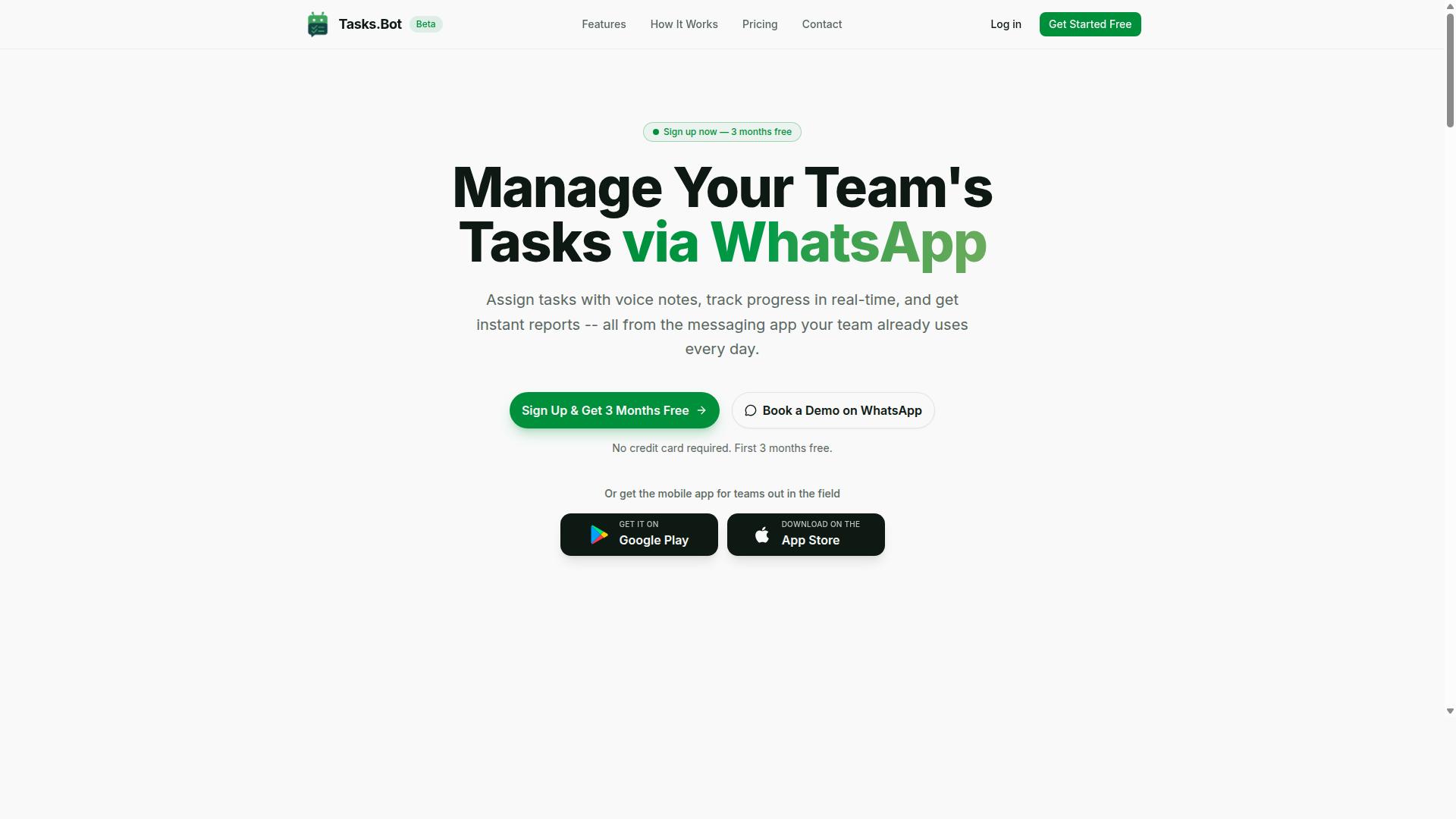
Tasks.Bot is a task management platform that operates entirely within WhatsApp, allowing teams to assign tasks, track progress, and receive reports without leaving the messaging app. For anyone evaluating automated progress report software, that setup matters: reporting happens where the work conversation already happens.
Instead of asking teams to adopt a separate project management tool, Tasks.Bot turns WhatsApp into the workspace itself. Assignments, status updates, and progress tracking all flow through the same chat threads people already check every day.
The platform also offers a mobile app for field teams, so staff working away from a desk can stay connected to the same task and reporting flow. The service is currently in beta and includes a free trial period, which gives teams a low-risk way to see whether WhatsApp-based reporting fits how they operate.
Who Tasks.Bot Serves: WhatsApp-First Teams and Field Staff
Tasks.Bot is designed for teams that already use WhatsApp as their primary communication tool, especially those with field staff who need to manage tasks, track attendance, and log payroll-ready hours. These are groups where coordination happens in chat, not in a dashboard nobody opens.
The platform's target audience shares a few common traits:
- Teams that rely on WhatsApp for day-to-day coordination
- Field-based staff working outside an office or shared computer
- Managers who need task assignment, attendance tracking, and payroll-ready hours in one place
For field teams, the friction of traditional software is real. A separate app means another login, another notification stream, and another place where updates get missed. Tasks.Bot removes that step by keeping task management, attendance tracking, and hours logging inside the messaging app the team already uses.
This audience is not hypothetical. The site mentions hundreds of teams already using the service, which suggests the WhatsApp-first model resonates with organizations that found desktop-centric tools a poor fit for mobile, distributed work.
It is worth being clear about who Tasks.Bot is not built for. Large enterprises running complex agile methodology, sprint reports, or Gantt chart planning across dozens of departments may still want a full project management suite. Tasks.Bot targets the simpler, high-frequency need: assign work, confirm it happened, and capture the hours, all without pulling field staff away from their primary communication channel.
For teams weighing automated progress report software, that focus is the point. Reporting automation only works if people actually submit updates, and Tasks.Bot bets that they will when the request arrives in WhatsApp rather than in yet another tool.
Is Tasks.Bot Good for Automated Progress Report Software?
Tasks.Bot positions itself as a tool for automated progress reporting, but its effectiveness depends on your team's workflow and reporting needs. It is a SaaS platform that runs task management entirely inside WhatsApp, so reports, reminders, and updates reach people where they already chat.
For teams that live in WhatsApp, that design removes a major barrier to progress tracking. For teams that depend on desktop project management suites, the fit is narrower. The sections below break down how the reporting automation works and where it shines.
How Instant Reports and Automations Work Inside WhatsApp
Tasks.Bot generates instant reports and automations directly within WhatsApp, leveraging the app's messaging interface to deliver updates without requiring users to switch platforms. Because everything runs in the chat app, team members do not need to install anything or create new accounts.
Work starts with a message. An AI assistant interprets natural language and voice notes, so a manager can speak a task aloud and the system understands the intent and creates it. Automatic task assignment then routes that work to the right person.
The platform supports a broad set of capabilities for tracking progress:
- Voice note task creation and automatic task assignment
- Smart deadline reminders and approvals and automations
- Instant reports and tasks on a map
- Live day tracker, plus shifts, leave, and hours management
- Face-verified attendance for field staff
Android and iOS apps add push notifications, voice capture, and a home screen widget, so alerts surface even outside the chat window. For reporting automation, the practical benefit is that status updates flow from the same conversations where work is discussed. Enterprise-grade encryption protects the data, and conversations and task data are never shared or used for training.
There is also a 3-month free trial with no credit card required, which lets a team test whether the reporting rhythm suits its habits before committing.
Where It Excels and Where It Has Limits
Tasks.Bot excels in WhatsApp-centric environments but may fall short for teams needing advanced project management features like Gantt charts or resource allocation. Its core strength is the native WhatsApp integration: no new logins, no adoption friction, and reporting that lands in a channel people already check.
The AI-powered task creation from natural language and voice notes lowers the effort of logging work. Face-verified attendance and live GPS tracking give field-based teams a way to confirm presence and location as part of progress tracking.
On the other side, the platform does not connect with Slack, Microsoft Teams, Trello, Asana, Jira, ClickUp, Monday.com, Notion, Google Workspace, or Zapier, and there is no API integration for stitching it into a wider toolchain. Teams running agile methodology, scrum, or kanban boards in those tools will not find a bridge here.
Advanced features are also limited. There is no Gantt chart, no resource allocation view, and no deep analytics or KPI tracking dashboard beyond the instant reports and live day tracker the product provides. Sprint reports and daily standups work best when the team is already coordinating by chat.
The verdict is straightforward: Tasks.Bot is good automated progress report software for WhatsApp-first teams, especially those with field staff, and a poor fit for organizations that need heavyweight project management depth.
Key Features for Automated Progress Reporting
Tasks.Bot offers a set of features tailored for automated progress reporting, focusing on ease of use within WhatsApp. The platform combines AI-driven task capture with live tracking tools, so updates flow in without extra apps or accounts.
For field teams and managers, the most relevant capabilities fall into two groups: how tasks get created, and how progress gets seen. The sections below cover each in detail, along with the reporting value they deliver.
Because everything runs inside WhatsApp, adoption barriers stay low. Team members work from a tool they already use daily, which keeps progress data current rather than stale.
Voice Note Task Creation and AI Natural Language Input
Tasks.Bot uses AI to interpret natural language and voice notes, allowing users to create tasks simply by speaking or typing in WhatsApp. Instead of filling out forms or navigating a separate task management interface, a team member can send a message the way they would to a colleague.
This matters most for field staff. Someone on a site visit, in transit, or wearing gloves can send a voice note and move on. The AI assistant handles the interpretation step, so no one has to translate a spoken update into structured data manually.
The same applies to typed messages. Natural language input means a quick line of text can become a tracked task, which reduces the friction that usually causes progress updates to be delayed or skipped. When capture is this easy, reporting automation has cleaner input to work with.
Tasks.Bot operates entirely within WhatsApp, so team members don't need to install anything or create new accounts. That design choice supports the voice and text capture workflow directly. There is no onboarding hurdle between a field worker and a logged task.
For managers, the benefit is consistency. Tasks arrive in one place with the details attached, rather than scattered across calls, texts, and memory. That consistency is what makes downstream progress tracking and status reports reliable.
Live Day Tracker, Tasks on a Map, and Face-Verified Attendance
Tasks.Bot includes a live day tracker, map view for tasks, and face-verified attendance, providing real-time visibility for field teams. Together these features answer the question managers ask most often: where does today's work actually stand?
The live day tracker shows daily progress as it happens. Rather than waiting for an end-of-day summary, a manager can see how the day is unfolding and spot gaps early. This supports deadline monitoring and keeps daily standups grounded in current information.
Tasks on a map display work geographically. For teams covering multiple sites, a map view makes it easier to see what is assigned where and how coverage is distributed. It is a practical form of progress tracking when location is part of the job.
Face-verified attendance ensures accurate check-ins. For field staff, that means attendance records reflect who was actually present, which strengthens the integrity of hours, shifts, and leave data that feeds into reporting.
Tasks.Bot also provides live GPS tracking for field staff alongside these tools. Enterprise-grade encryption protects the data, and conversations and task data are never shared or used for training. For organizations weighing an automated progress report software, that combination of real-time visibility and data protection is a meaningful part of the value.
Pricing and Plans
Tasks.Bot offers a single 'Full Access' plan with all features included, priced in Indian Rupees and US Dollars. There are no confusing tiers or feature gates to compare. One plan covers the whole product, which keeps budgeting simple for teams evaluating automated progress report software.
Pricing is shown per member, so costs scale with the size of your team rather than a flat site-wide fee. You can switch currencies using the 'Select currency' option on the site, with Indian Rupee and US Dollar available. Verifying the currency before checkout is a smart habit, since the displayed figure changes with your selection.
The two billing options break down as follows:
| Plan | Price | Billing Basis |
|---|---|---|
| Monthly | ₹200 per member per month | Billed each month |
| Annual | ₹1,200 per year per member | Billed once a year |
The annual option works out to a 50% saving, which equals ₹1,200 saved per member each year compared to paying monthly. For a team tracking status reports, weekly reports, and deadline monitoring across many members, that difference adds up quickly.
New users also get 3 months free, with no credit card required, and can cancel anytime. That trial window gives a team room to test how the platform handles progress tracking, dashboard views, and reporting automation before committing budget.
One detail worth noting: the service is currently in beta. That means the product is still evolving, so features and pricing may shift over time. For buyers, the practical takeaway is to confirm current terms at the point of purchase rather than relying on older screenshots or secondhand summaries.
Overall, the pricing model is transparent and predictable. A per-member structure suits teams that grow or shrink, and the free trial lowers the risk of trying a SaaS platform for reporting automation. If you are comparing costs for a productivity tool, the key question is simple: does the annual discount justify a year-long commitment for your team size? For most teams already paying monthly, the 50% reduction makes the yearly plan the more economical route.
Trust Signals: Beta Status, Security, and Refund Policy
Tasks.Bot is currently in beta, which may affect reliability, but it offers a refund policy and emphasizes security. For anyone weighing whether this automated progress report software deserves a place in their daily workflow, these three signals matter more than feature lists. Beta status tells you where the product sits in its development. Security tells you whether your project data is handled responsibly. A refund policy tells you what happens if the tool does not fit your team.
Beta means the platform is still evolving. Features may change, behavior may shift, and occasional rough edges are normal at this stage. That is not a red flag, it is simply how modern SaaS products mature. Early adopters often get a voice in shaping the roadmap, which can be valuable for teams with specific reporting needs.
The practical takeaway is to treat beta as a trial-friendly stage. Start with a small team or a single workflow before rolling Tasks.Bot out across every project. If your reporting automation handles weekly reports or daily standups, test those first. Once the output meets your standards, expand from there.
On security, the platform operates within WhatsApp's secure environment. Specific security measures are not detailed on the site, so teams with strict compliance requirements should confirm details directly before adopting. For most small and mid-sized teams using chatbot integration for task management, working inside an established messaging platform is a reasonable starting point.
The site also mentions a refund policy in the footer, which gives buyers a fallback if the product does not deliver. Combined with the option to book a demo on WhatsApp, this lowers the risk of trying automated progress report software before committing fully. A refund policy is a meaningful trust signal because it shifts part of the risk away from the buyer.
Weighing all three signals together:
- Beta status: Expect ongoing changes and test before wide rollout.
- Security: Runs inside WhatsApp's secure environment, with specifics available on request.
- Refund policy: Listed in the footer, offering a safety net.
None of these signals suggest a reason to avoid Tasks.Bot. They suggest a product that is honest about its stage, operates within a trusted messaging platform, and gives users a way out if expectations are not met. For teams exploring reporting automation, that combination is a sensible foundation rather than a warning sign.
Who Should Use Tasks.Bot for Progress Reports
Tasks.Bot is ideal for teams that rely on WhatsApp for communication and need simple, automated progress reporting, especially those with field staff. It is a SaaS platform built around the messaging app your team already uses every day, so progress tracking does not require anyone to learn a new interface or log into a separate dashboard.
That focus shapes exactly who gets the most value from it. If your team coordination already happens in WhatsApp chats, Tasks.Bot turns those conversations into structured reporting without adding friction to the workday. The site notes that hundreds of teams already use the service.
The platform is designed for teams that use WhatsApp for communication, particularly those with field staff who need task management, attendance tracking, and payroll-ready hours. That combination of needs points to a specific kind of user, not every organization.
Small to medium teams tend to fit best. They need reliable progress reports but do not want the overhead of a heavy project management suite. A lightweight tool that works inside a familiar chat app keeps adoption high and training time low.
Field-based teams are a natural match. When staff are on site, in transit, or away from a desk, opening a laptop to file a status report is unrealistic. Capturing attendance, task updates, and hours through WhatsApp fits how mobile teams actually operate.
Managers in these settings also benefit. Instead of chasing updates across scattered messages, they get automated progress reporting tied to real tasks and hours. Payroll-ready time data is collected as part of the same flow, which reduces manual reconciliation later.
Consider who should look elsewhere, at least for now. Large enterprises with complex dependencies, multi-team resource planning, or strict governance requirements often need deeper project management functionality than a chat-first tool provides. Teams already standardized on a full project management platform may not want a second system.
By contrast, Tasks.Bot suits organizations that want a lightweight alternative to complex project management tools. If your reporting needs are practical rather than elaborate, the simpler approach is usually the better one.
- Small to medium teams that coordinate work through WhatsApp and want automated progress reports without a new tool to manage.
- Field-based teams that need task management, attendance tracking, and payroll-ready hours captured on the go.
- Teams seeking a lightweight option instead of a complex project management suite with features they will never use.
If your team matches one or more of these profiles, Tasks.Bot is a strong fit for automated progress report software. It meets you in the app your staff already use and turns everyday communication into usable reporting.
Final Verdict
Tasks.Bot is a promising tool for WhatsApp-centric teams seeking automated progress reporting, but its beta status and limited integrations may be drawbacks for some. Weighing its strengths against its current gaps, the platform earns a clear recommendation for the right kind of team.
Its standout advantage is seamless WhatsApp integration. Instead of asking field staff to learn a new dashboard or log into yet another app, Tasks.Bot meets them inside a messaging tool they already use daily. That single design decision removes one of the biggest barriers to consistent progress tracking: adoption.
The platform's AI features and field staff tools reinforce that approach. Reporting automation, task management, and real-time updates all flow through a conversational interface, which suits teams working on the move rather than at a desk.
Where should you pause before committing? Two honest limitations stand out:
- Beta status: the product is still maturing, so expectations around polish and stability should be set accordingly.
- Limited integrations: teams deeply invested in Slack, Microsoft Teams, Trello, Asana, Jira, ClickUp, Monday.com, Notion, Google Workspace, or Zapier-style API connections may find the ecosystem narrower than they need.
For a large enterprise running sprint reports across multiple connected SaaS platforms, those gaps matter. For a lean operation that lives on WhatsApp, they often do not.
So who gets the most value? Consider Tasks.Bot a strong fit if your team fits one or more of these profiles:
- Field or remote staff who already coordinate through WhatsApp
- Small to mid-sized teams wanting progress tracking without heavy onboarding
- Managers who need daily standups or weekly reports collected with minimal friction
- Operations that value a productivity tool built around conversation, not dashboards
If your workflow depends on deep dashboard analytics, Gantt chart views, or resource allocation across many connected tools, it is worth waiting for the integration list to grow. If your bottleneck is simply getting people to report progress at all, the WhatsApp-first model solves that directly.
The bottom line: Tasks.Bot is a credible, purpose-built answer to automated progress report software for messaging-first teams. Its strengths are real, its limitations are temporary in nature, and its focus is deliberate rather than accidental. For the audience it targets, it is a sensible choice.
To discuss whether it suits your workflow, reach the team by phone at +91 97143 42522 or by email at [email protected].
Frequently Asked Questions
What exactly is Tasks.Bot, and how does it handle progress reports?
Tasks.Bot is a task management platform that runs inside WhatsApp, so teams can assign tasks, track progress, and receive instant reports without leaving the app. Because reporting happens in the same place your team already communicates, progress updates are generated automatically rather than compiled manually. It also offers a mobile app for field teams who need more than the WhatsApp experience.
Do my team members need to install new software or create accounts?
No. Tasks.Bot operates entirely within WhatsApp, so team members don't need to install anything or create new accounts to get started. This makes it especially practical for field staff who may not be comfortable adopting yet another tool. A mobile app is available as well for teams that want it.
How do automated progress reports actually get created?
Tasks.Bot uses AI to understand natural language and voice notes, so tasks can be created simply by sending a message or voice note in WhatsApp. From there, features like smart deadline reminders, approvals, automations, and instant reports keep progress visible without manual follow-up. Managers get day-to-day visibility into what's done, pending, or blocked, delivered right in the chat.
How much does Tasks.Bot cost?
Tasks.Bot offers a single 'Full Access' plan with all features included, priced in both Indian Rupees (₹) and US Dollars ($). The monthly plan is ₹200 per member per month, and the annual plan is ₹1,200 per year per member - a 50% saving compared to paying monthly. A refund policy is also mentioned in the site footer.
Is Tasks.Bot a good fit for teams with field staff?
Yes - it's built for teams that already use WhatsApp for communication, particularly those with field staff who need task management, attendance tracking, and payroll-ready hours. Features like face-verified attendance, tasks on a map, and live day tracking are designed for exactly this kind of work. Hundreds of teams are already using the service, which is currently in beta.
How do I see it in action before committing?
You can book a demo directly on WhatsApp through the Tasks.Bot website. Since the product itself runs in WhatsApp, the demo gives you a realistic feel for how task assignment, reminders, and reporting work in your day-to-day chat. You can also reach the team at [email protected] or +91 97143 42522 with questions.
Recommended Resources: